Guides
  1. All guides
  2. 1.Get started
  3. 2.Set up your prices
  4. 3.Take an order
  5. 4.Ready, payment and collection
  6. 5.Sell packages
  7. 6.Add your staff
  8. 7.Use your phone and PC together
  9. 8.Back up your records
  10. 9.Print receipts and tags
  11. 10.Buy or renew your licence

Guide 1 · on a phone

Get started

Install Hangerdeck and set up your shop in two minutes.

  1. 1

    Download Hangerdeck from hangerdeck.com/download and install it on your Windows PC or Android phone. Every feature is free for 30 days.

  2. 2

    The first time it opens, type your shop name, your name and a PIN of 4 to 6 digits. You are the owner of the shop.
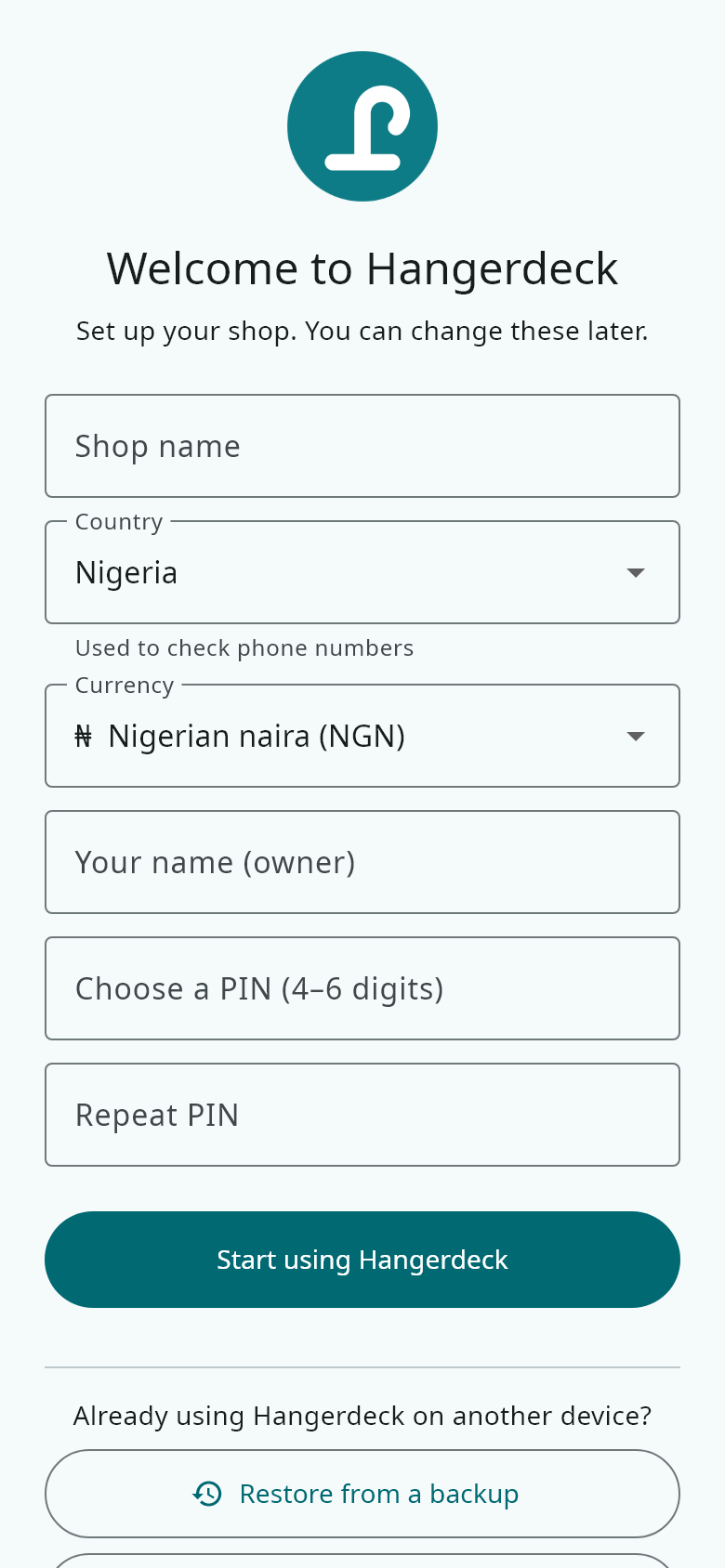
    The first time it opens, type your shop name, your name and a PIN of 4 to 6 digits. You are the owner of the shop.
  3. 3

    The Counter shows today's money and orders, what is ready and what is due. The buttons at the bottom open Orders, Customers, Reports and More.
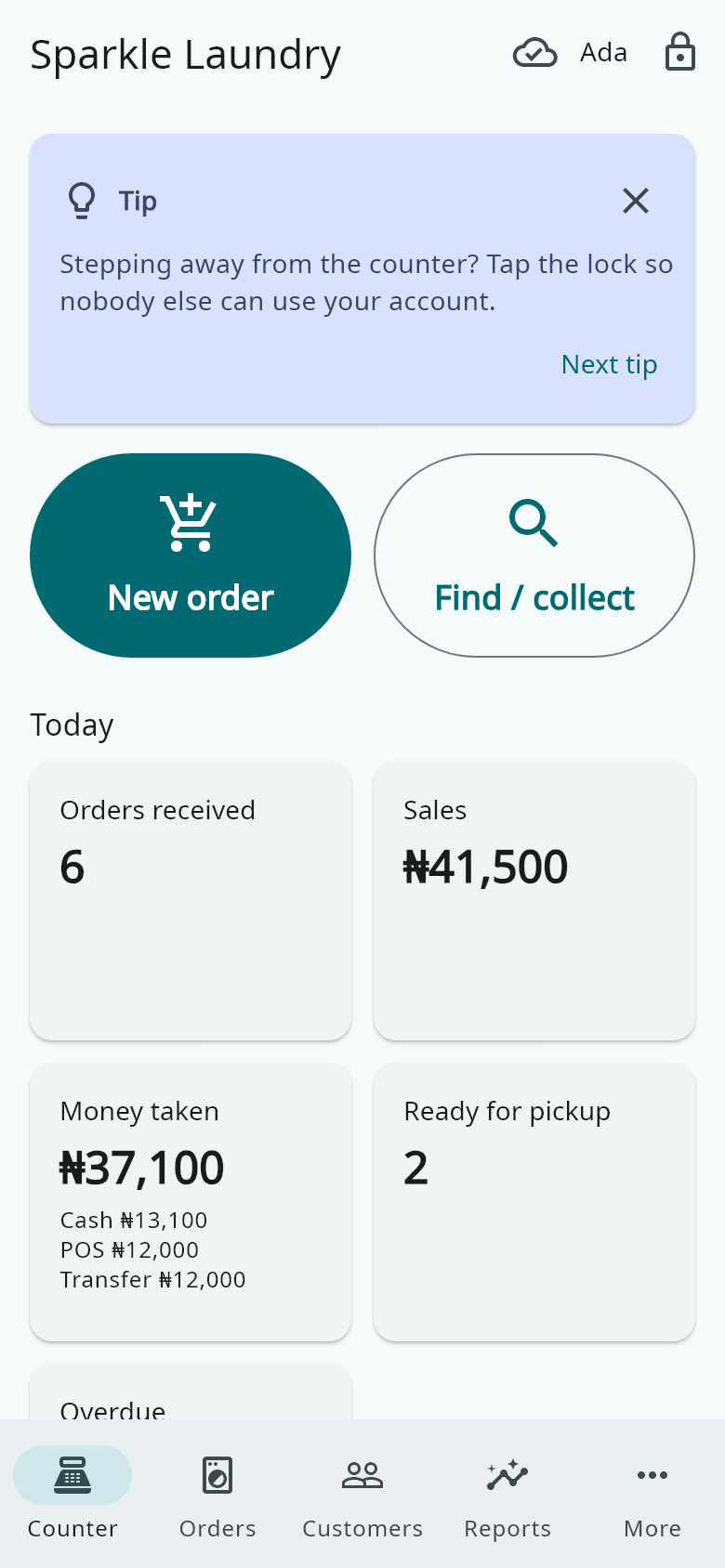
    The Counter shows today's money and orders, what is ready and what is due. The buttons at the bottom open Orders, Customers, Reports and More.
  4. 4

    Next, set up your prices and add your staff. Both guides are below.