Guides
  1. All guides
  2. 1.Get started
  3. 2.Set up your prices
  4. 3.Take an order
  5. 4.Ready, payment and collection
  6. 5.Sell packages
  7. 6.Add your staff
  8. 7.Use your phone and PC together
  9. 8.Back up your records
  10. 9.Print receipts and tags
  11. 10.Buy or renew your licence

Guide 8 · on a PC

Back up your records

Daily backups to Google Drive, Dropbox or USB.

  1. 1

    On the shop PC, open More → Backup & restore and choose where backups go: a folder inside Google Drive or Dropbox, or a USB stick. Hangerdeck backs up there every day.
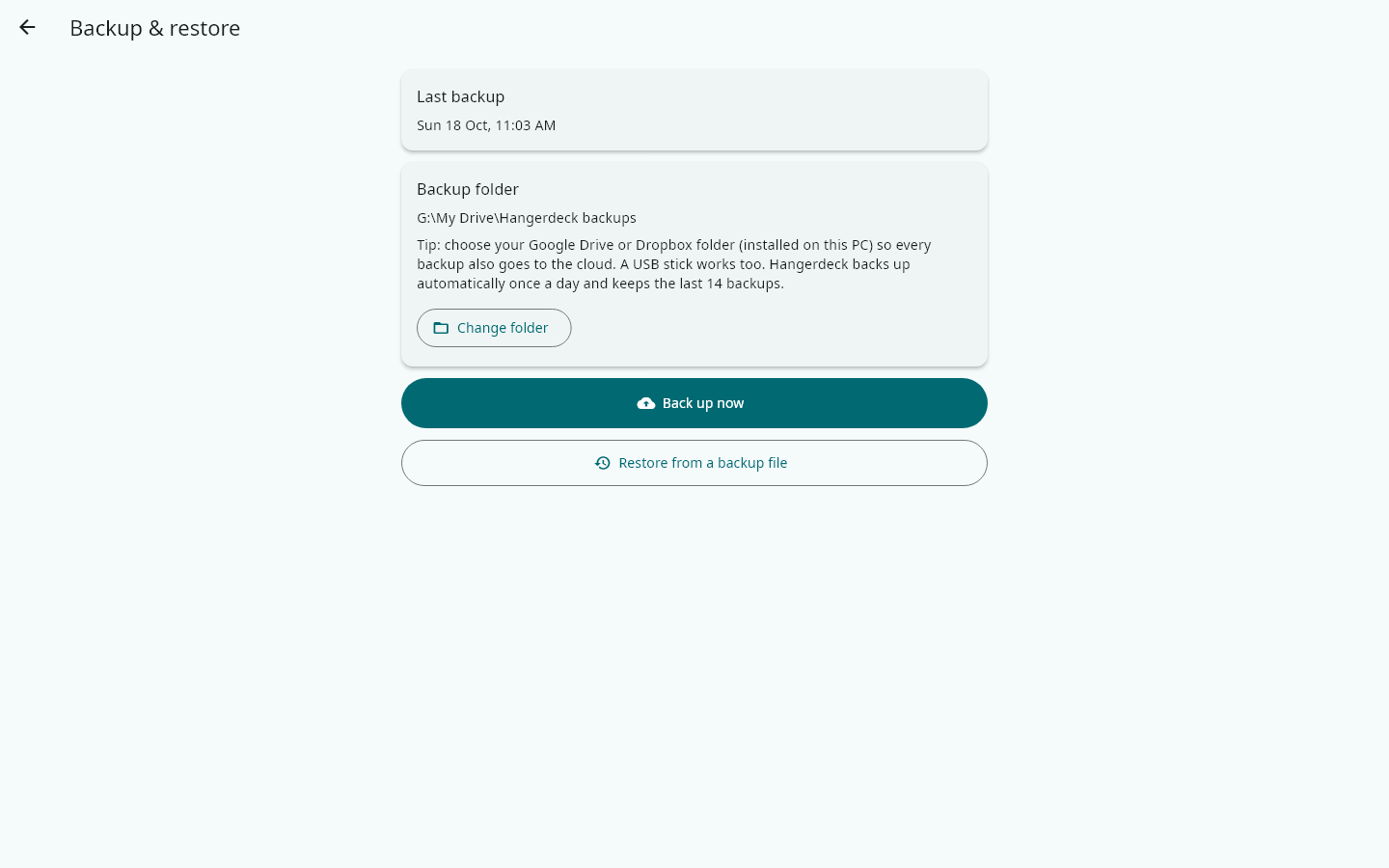
    On the shop PC, open More → Backup & restore and choose where backups go: a folder inside Google Drive or Dropbox, or a USB stick. Hangerdeck backs up there every day.
  2. 2

    Tap Back up now whenever you like, for example before changing a lot of prices.

  3. 3

    Restore from a backup file replaces what is on this device. Use it on a new or repaired device.